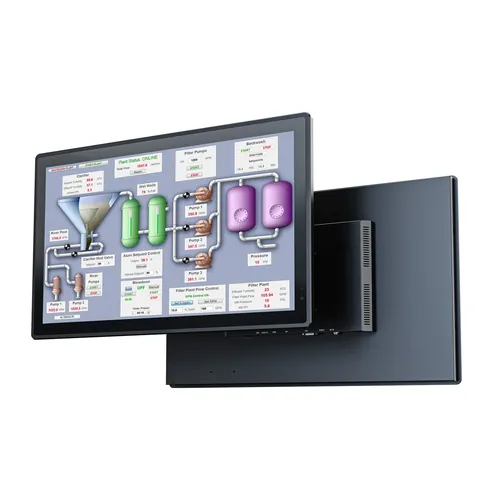
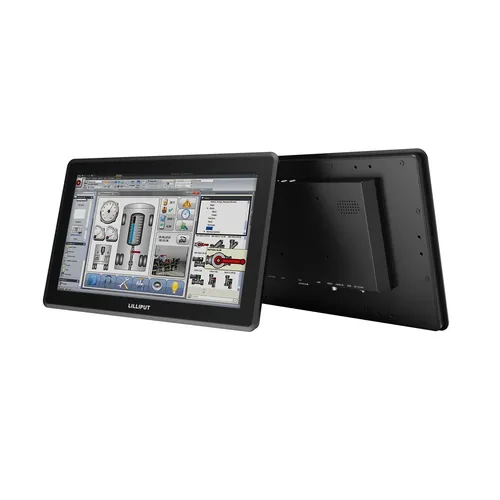
15 inches is an optimal size for a preview monitor in live events. It’s large enough to give a detailed preview of what is being captured at the camera source, but small enough to be mounted next to a mixing desk or into a portable production unit (PPU). My checklist is based on four key considerations:
- Connectivity. Compatibility with your AV signal chain.
- Physical environment. The conditions in which the monitor will be primarily used and transported to locations.
- Image representation. Accurate monitoring for HD, 4K and 8K workflows.
- Budget. What the project can afford.
The five monitors in this guide are the PVM150S, PVM160S-H, PVM160S-E, Q15-8K, and BM150-12G.
Connectivity
A preview monitor sits in the AV signal chain between camera and playout. It needs the right inputs, and it should pass the signal on cleanly to the next device.
Consideration 1
What is your existing AV signal infrastructure?
A broadcast monitor used in live events and broadcasting is normally connected into an AV signal chain to provide camera operators and directors a live preview of what the video source (typically a camera) is capturing. Therefore, the monitor needs connectivity that is compatible with your AV signal chain. If your AV infrastructure is built for HD content over 3G-SDI, then the PVM150S, PVM160S-H or PVM160S-E are great options. If your connectivity infrastructure is handling 8K workflows over 12G-SDI, then consider the Q15-8K or BM150-12G. For some customers, you might be dealing with broadcast video over IP using the NDI® protocol. In that case, I recommend the PVM160S-E because it decodes up to NDI®|HX3, integrating directly into an NDI® video environment, saving money on an external NDI® decoder.
Look for: 3G-SDI (PVM150S, PVM160S-H, PVM160S-E); 12G-SDI (Q15-8K, BM150-12G); NDI®|HX3 (PVM160S-E).
Consideration 2
Do you need to continue the signal down the chain?
All 15 inch monitors in this range support video loop-out, meaning the input video source can be outputted back to other downstream devices (also known as daisy-chain). The signal then continues to get routed through video switchers and vision mixers to playout.
Look for: video loop-out (daisy-chain).
Consideration 3
Is your video content being streamed?
In addition to native NDI®|HX3 support, the PVM160S-E uniquely offers video streaming over SRT, RTMP, RTSP, HTTP and HTTPS. The PVM160S-E is a 15 inch monitor with recording and streaming encoder built-in, giving content creators an all-in-one solution to rapidly record and distribute their content without the need for external devices or PCs.
Look for: SRT, RTMP, RTSP, HTTP, HTTPS; onboard recording (PVM160S-E).
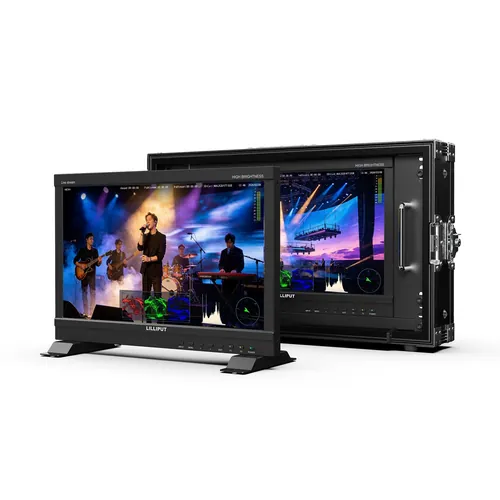
PVM160S-E
Physical environment
On-location video monitoring demands high levels of durability and brightness, whereas installation in studios and OB trucks requires standard mounting.
Consideration 4
Will the monitor be used on-location in natural sunlight?
If you are on-location, natural sunlight can cause the image to appear washed out. The most common way to protect against this is with high brightness. Lilliput's highest-brightness monitors in the 15 inch range are the PVM160S-H and PVM160S-E. In the 12G-SDI range, our Q15-8K offers higher brightness than the BM150-12G.
Look for: high brightness (PVM160S-H, PVM160S-E); Q15-8K over BM150-12G for 12G-SDI brightness.
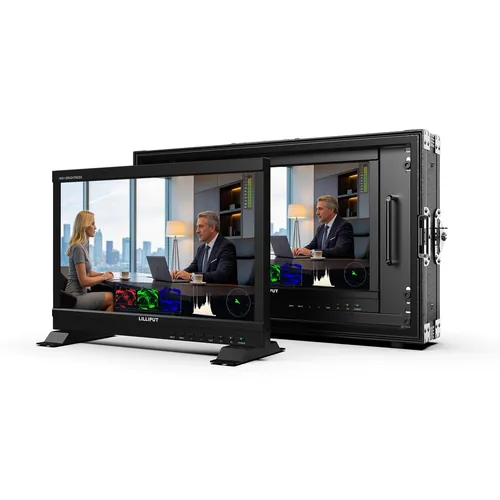
PVM160S-H
Consideration 5
Is the broadcast monitor part of a travelling kit?
If the broadcast monitor is part of a travelling kit, then you should consider a carry case. All of Lilliput's 15 inch broadcast monitors can be supplied with optional flight cases. But the BM150-12G is built into the flight case directly. This has the advantage of an all-in-one solution.
Look for: optional flight case; BM150-12G built into the flight case.
Consideration 6
Is the broadcast monitor going to be rack-mounted?
All of Lilliput's 15 inch broadcast monitors are available with optional rackmount brackets for installation into a standard 19 inch rack. Again, with the exception of the BM150-12G, this model is supplied with the rack mount brackets as standard.
Look for: optional 19 inch rackmount brackets; BM150-12G includes rack mount brackets as standard.
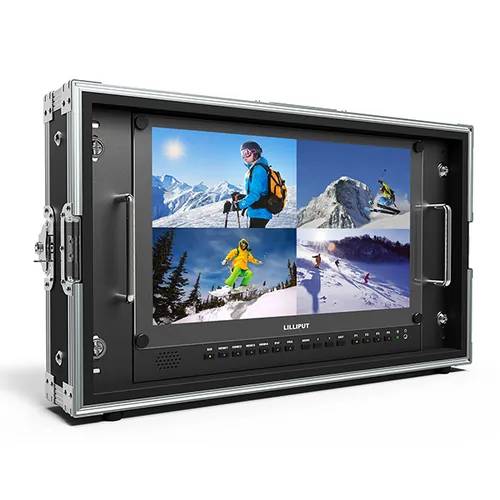
BM150-12G
Image representation
The monitor should show the image as it was captured, and consistently through the AV signal chain: the right panel resolution, analysis tools when you need them, then matching LUTs, colour space and HDR from camera through post.
Consideration 7
What is the resolution of your content?
For HD content, the PVM range is the best choice with a Full HD panel: the PVM150S, PVM160S-H and PVM160S-E. For 4K or 8K content, the Q15-8K or BM150-12G has a 4K panel.
Look for: Full HD (PVM150S, PVM160S-H, PVM160S-E); 4K panel (Q15-8K, BM150-12G).
Consideration 8
Is colour profile critical for your workflow?
For workflows that require objective analysis of the incoming video feed, choose a model with support for video scopes. This gives operators a set of graphs and charts describing the raw video feed, such as vector scopes, RGB parade, focus peaking, exposure lines and more. The PVM160S-H, PVM160S-E, BM150-12G and Q15-8K have video analysis scopes.
Look for: video analysis scopes.
Consideration 9
Does your video production workflow require a custom colour profile?
The technical configuration of the video being captured should be what you see on the preview monitor. That means matching exact workflow configurations across camera, live video monitoring, to editing and post-production, not just getting a picture on screen.
3D LUT support loads the same colour configuration used on the video source and in the edit suite, so the image on the monitor matches what camera and post are working to. 3D LUT (.cube) is present on the PVM160S-H, PVM160S-E and Q15-8K.
Look for: 3D LUT (.cube).
Consideration 10
Does your content use a wider colour space than Rec.709?
Colour spaces define how much of the visible colour range the monitor can show. Rec.709 is the standard gamut for HD broadcast: fine for most television deliverables, but it clips the more saturated reds and greens that higher-end broadcast, cinema and HDR workflows often use. DCI-P3 is a wider gamut (roughly a quarter more colour volume than Rec.709), so those richer colours stay distinct instead of looking flattened on the preview. The Q15-8K supports 90%+ of DCI-P3, which is important to consider when your content is intended to be played on screens beyond the Rec.709 standard.
Look for: colour spaces / DCI-P3 90%+ (Q15-8K).
Consideration 11
Does your content require HDR monitoring?
HDR support (HLG and ST 2084) keeps high dynamic range content from looking dull or washed out on the monitor. HDR monitoring is available on the PVM150S, PVM160S-H, PVM160S-E and Q15-8K.
Look for: HDR (HLG, ST 2084).
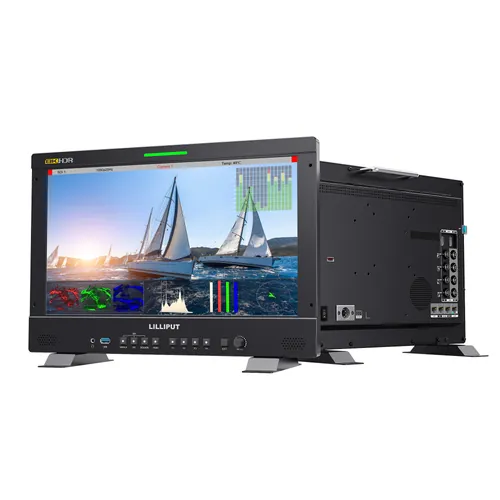
Q15-8K
Budget
Which features you actually need shapes the final choice and the price.
Consideration 12
What is your budget?
All these considerations ultimately determine the price. Monitors with 4K panels supporting 12G-SDI will cost more than monitors with Full HD panels supporting 3G-SDI.
Look for: Full HD / 3G-SDI for value; 4K / 12G-SDI when higher fidelity is required.
Consideration 13
What do you need?
Lilliput's extended range of 15 inch broadcast monitors gives customers choice at five different price points. This means customers can be pragmatic about their choice of technology to support their video production workflow. For example, if the monitor will be used as a simple confidence monitor in a HD production environment, then the PVM150S is a great, budget choice. However, if the monitor is intended to be used on different sets with varying camera settings, then the Q15-8K gives the most versatility.
Look for: PVM150S for HD confidence monitoring; Q15-8K for versatility across sets and camera settings.
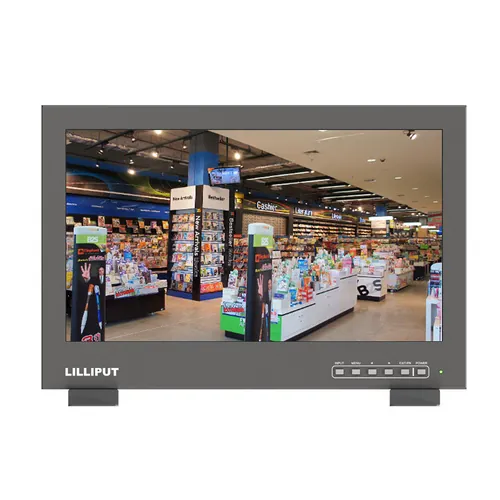
PVM150S
Compare the range
I use the table below as a quick starting point with customers. It is not a substitute for walking the checklist, but it makes the differences between the five 15 inch options easy to see.
| PVM150S | PVM160S-H | PVM160S-E | Q15-8K | BM150-12G | |
|---|---|---|---|---|---|
| Connectivity | |||||
| AV connectivity | 3G-SDI | 3G-SDI | 3G-SDI, NDI®|HX3 | 12G-SDI | 12G-SDI |
| Signal loop-out | Yes | Yes | Yes | Yes | Yes |
| Streaming | — | — | SRT, RTMP, RTSP, HTTP, HTTPS | — | — |
| Physical environment | |||||
| Sunlight and brightness | 1000 cd/m² | 1200 cd/m² | 1200 cd/m² | 600 cd/m² | 330 cd/m² |
| Portability | Optional flight case | Optional flight case | Optional flight case | Optional flight case | Built-in flight case |
| Rack mounting | Optional | Optional | Optional | Optional | Included |
| Image representation | |||||
| Resolution | Full HD | Full HD | Full HD | 4K | 4K |
| Video analysis | — | Yes | Yes | Yes | Yes |
| Custom colour profile | — | 3D LUT | 3D LUT | 3D LUT | — |
| Colour spaces | — | — | — | DCI-P3 90%+ | — |
| HDR | HLG, ST 2084 | HLG, ST 2084 | HLG, ST 2084 | HLG, ST 2084 | — |
| Budget | |||||
| Budget | Full HD / 3G-SDI | Full HD / 3G-SDI | Full HD / 3G-SDI | 4K / 12G-SDI | 4K / 12G-SDI |
| What do you need? | HD confidence | High brightness HD | HD + NDI / record | Most versatile | 4K + flight case |
Get a recommendation from me
I hope this checklist helps you choose the right 15 inch broadcast monitor. These considerations are not all must-haves. They are simply factors that you should weigh against your signal chain, venue, and budget. If you need advice, get in touch below and I will be happy to talk you through the checklist.
For pricing, demonstrations, or advice on which model fits your workflow, contact Keith Rogers, Broadcast Category Manager, at [email protected] or call +44 (0)1902 428688 ext. 302.